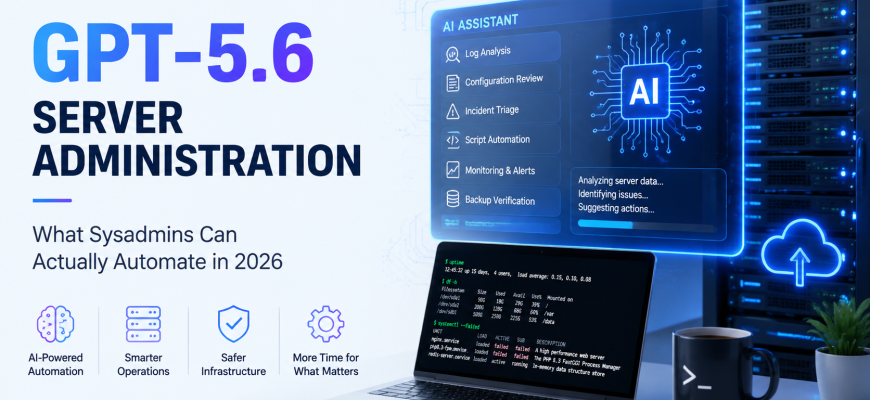
GPT-5.6 server administration is no longer just about asking an AI chatbot to generate a Bash command or explain an Nginx error. In 2026, AI tools are increasingly becoming part of real infrastructure workflows — analyzing logs, reviewing configurations, troubleshooting containers, generating automation scripts, and helping administrators investigate incidents.
For system administrators, however, the important question is not whether AI can generate Linux commands. It can.
The real question is: what server administration tasks can actually be automated with GPT-5.6, and which tasks should remain under human control?
The answer is more interesting than simply giving an AI agent root access to a production server.
- AI Is Moving From Server Advisor to Server Operator
- 1. Automated Server Log Analysis
- 2. Server Configuration Auditing
- 3. Nginx and Apache Configuration
- 4. Docker Troubleshooting
- 5. Monitoring and Incident Triage
- 6. Backup Verification
- 7. Security Update Prioritization
- 8. Bash, Python and PowerShell Automation
- 9. Infrastructure Documentation
- 10. Routine Server Maintenance
- What GPT-5.6 Should Not Control Automatically
- The Better Approach: AI With Guardrails
- Automatically Allowed
- Approval Required
- Blocked
- Will GPT-5.6 Replace System Administrators?
- The Sysadmin of 2026 Is Becoming an Automation Architect
- Final Thoughts
AI Is Moving From Server Advisor to Server Operator
For several years, system administrators have used AI as a technical assistant.
A typical workflow looked like this:
Sysadmin → AI recommendation → Sysadmin reviews → Sysadmin executes
An administrator might paste an Nginx error into an AI assistant, ask for the correct configuration, review the proposed solution, and then manually apply it to the server.
Agentic AI changes this workflow.
Modern AI agents can work with files, inspect repositories, execute commands in controlled environments, analyze command output, and continue working through multiple steps of a task.
The workflow can therefore become:
Sysadmin → defines objective and permissions → AI investigates → AI proposes or performs actions → Sysadmin reviews results
This is an important difference.
AI is moving from answering “What command should I run?” toward handling parts of the actual infrastructure workflow.
1. Automated Server Log Analysis
Log analysis is one of the most practical tasks to automate with GPT-5.6.
Production servers can generate enormous amounts of information from services such as:
- Nginx
- Apache
- systemd
- Docker
- Kubernetes
- MySQL
- PostgreSQL
- SSH
- firewalls
- PHP-FPM
- application servers
- monitoring systems
Finding the important event manually can sometimes take longer than fixing the problem itself.
An AI-assisted workflow can collect relevant logs, correlate timestamps, identify repeating errors, and summarize the most likely causes.
Consider a website that suddenly starts returning HTTP 502 errors.
Instead of manually checking several services, an AI agent could inspect:
Nginx error log → PHP-FPM status → system journal → memory usage → disk space
It could then produce a report such as:
Probable cause: PHP-FPM worker exhaustion.
Evidence: Multiple server reached pm.max_children messages appeared immediately before the increase in HTTP 502 responses.
Recommended action: Check PHP execution times and traffic growth before increasing pm.max_children.
This is considerably more useful than simply sending thousands of raw log entries to an administrator.
2. Server Configuration Auditing
Configuration auditing is another area where GPT-5.6 can save administrators significant amounts of time.
Linux servers often accumulate years of configuration changes.
An AI system can review files such as:
/etc/nginx/nginx.conf
/etc/ssh/sshd_config
/etc/php/8.3/fpm/
/etc/mysql/
/etc/docker/
It can then look for configuration problems, inconsistencies, or settings that no longer match the infrastructure policy.
For example, an automated audit could detect:
- obsolete TLS settings;
- dangerous SSH configuration;
- unnecessary exposed services;
- inconsistent PHP limits;
- duplicate Nginx directives;
- missing security headers;
- outdated configuration parameters;
- configuration drift between servers.
This becomes especially useful when an organization operates dozens or hundreds of similar machines.
Instead of manually comparing configuration files, administrators can use AI to identify differences and investigate only the systems that require attention.
3. Nginx and Apache Configuration
Web server configuration is already one of the most common uses of AI among system administrators.
GPT-5.6 can help generate configurations for:
- reverse proxies;
- PHP-FPM;
- SSL/TLS;
- HTTP/2 and HTTP/3;
- redirects;
- caching;
- WebSockets;
- static files;
- multiple domains;
- security headers.
But generating a generic configuration is only the beginning.
The more useful scenario is allowing an AI agent to inspect the existing environment.
Instead of asking:
“Write an Nginx configuration for WordPress.”
an administrator could request:
“Review this virtual host, preserve the existing PHP-FPM socket and redirects, remove unnecessary directives, validate the configuration, and show me the changes.”
The agent could inspect the existing configuration, generate a modified version, run:
nginx -t
and report whether the configuration passes validation.
The administrator would then review the changes before they reach production.
That is much closer to real server administration.
4. Docker Troubleshooting
Docker is another excellent candidate for AI-assisted administration because containers expose large amounts of structured diagnostic information.
When a container fails, administrators commonly inspect commands such as:
docker ps
docker logs
docker inspect
docker stats
docker network inspect
An AI agent can perform much of this investigation automatically.
Imagine a container continuously restarting.
The agent could:
- identify the affected container;
- inspect its exit code;
- analyze recent logs;
- inspect environment variables;
- check mounted volumes;
- examine networking;
- compare the configuration with the expected deployment;
- suggest the most likely solution.
In a development or staging environment, the AI could potentially apply the correction and test whether the container starts successfully.
Production environments should normally require administrator approval before changes are applied.
5. Monitoring and Incident Triage
Traditional monitoring platforms are very good at detecting thresholds.
For example:
CPU usage > 90%
Disk usage > 95%
HTTP service unavailable
Database connections exhausted
The problem is that an alert often tells administrators what happened but not why it happened.
GPT-5.6 can provide an interpretation layer between monitoring systems and administrators.
Instead of receiving:
ALERT: CPU usage 97%
the administrator could receive:
CPU usage reached 97% because PHP-FPM processes handling /wp-admin/admin-ajax.php increased significantly after 14:32 UTC. Traffic increased approximately four times during the same period.
That immediately gives the administrator useful context.
An AI agent could correlate:
- CPU metrics;
- memory usage;
- network traffic;
- application logs;
- web server logs;
- database activity;
- recent deployments.
This can significantly reduce the time required to diagnose incidents.
6. Backup Verification
Creating backups is relatively easy.
Knowing whether those backups actually work is much harder.
Many organizations discover backup problems only when they need to restore data.
GPT-5.6 can help automate backup verification by checking:
- whether expected backups exist;
- backup age;
- archive integrity;
- database dump size;
- unusual changes in backup size;
- available backup storage;
- replication status;
- failed backup jobs.
A more advanced workflow could periodically restore a backup into an isolated environment.
The AI agent could then verify that:
- the database imports successfully;
- required files exist;
- services start;
- the application responds;
- basic health checks pass.
This provides much stronger evidence that the backup is actually usable.
A backup that has never been successfully restored should never be considered completely verified.
7. Security Update Prioritization
Modern Linux and Windows environments regularly receive security advisories affecting large numbers of packages and services.
The problem is prioritization.
Not every vulnerability represents the same level of risk to every server.
AI can help correlate vulnerability information with the actual infrastructure.
A workflow might look like:
New CVE → affected software → installed version → server exposure → exploit availability → business importance → patch priority
Instead of receiving a generic vulnerability warning, an administrator might receive:
Immediate action required: Six Internet-facing servers are running an affected version.
Medium priority: Four internal systems contain the vulnerable package but are not externally accessible.
Low priority: Eighteen systems have the package installed, but the vulnerable component is disabled.
This can significantly reduce security alert fatigue.
8. Bash, Python and PowerShell Automation
Script generation remains one of the most obvious uses of GPT-5.6 for server administration.
Administrators can use AI to create:
- Bash scripts;
- PowerShell scripts;
- Python utilities;
- Ansible playbooks;
- deployment scripts;
- monitoring checks;
- backup scripts;
- migration tools;
- maintenance jobs.
But simply generating code is no longer the most interesting part.
An AI agent can potentially generate a script, run it in a controlled environment, inspect the output, identify errors, modify the code, and test it again.
For example, an administrator could request:
“Create a script that checks all mounted filesystems and reports partitions above 85% usage, excluding temporary mounts.”
Instead of simply returning a script, an agent could test it against several environments and verify the output before presenting the final version.
This feedback loop makes AI-generated automation significantly more useful.
9. Infrastructure Documentation
Documentation is one of the most neglected parts of server administration.
The reason is simple: administrators rarely have enough time to update documentation after every infrastructure change.
AI can help generate documentation directly from infrastructure information.
For example:
Server: web-03
Operating system: Ubuntu 24.04
Web server: Nginx
Runtime: PHP 8.3
Database: Remote MySQL cluster
Applications: 12 WordPress websites
Backup: Daily incremental + weekly full
Monitoring: Enabled
Documentation could automatically be regenerated when infrastructure changes.
The same approach could document:
- virtual hosts;
- firewall policies;
- Docker deployments;
- network architecture;
- installed services;
- storage configuration;
- SSL certificates;
- scheduled jobs.
Instead of documentation becoming obsolete after several months, it could remain synchronized with the real infrastructure.
10. Routine Server Maintenance
Many server maintenance tasks follow predictable procedures.
Examples include:
- checking disk space;
- cleaning old logs;
- finding unusually large files;
- checking failed services;
- identifying unused Docker images;
- checking SSL certificate expiration;
- verifying scheduled jobs;
- checking package updates;
- verifying backup freshness;
- checking memory pressure.
These tasks are excellent candidates for AI automation because they are repetitive and relatively easy to validate.
Importantly, an AI agent does not need unrestricted root access to perform most of them.
A safer approach is to provide read-only access for diagnostics and narrowly scoped commands for remediation.
What GPT-5.6 Should Not Control Automatically
AI automation becomes dangerous when administrators confuse technical capability with operational permission.
Just because an AI agent can execute a command does not mean it should be allowed to execute every command.
GPT-5.6 should generally not have unrestricted authority to:
- delete production databases;
- destroy virtual machines;
- modify global firewall policies;
- change network routing;
- reconfigure storage arrays;
- erase disks;
- rotate critical credentials without supervision;
- disable security systems;
- perform irreversible database migrations;
- reboot critical infrastructure without approval.
The problem is not simply that an AI might generate an incorrect command.
An AI agent can also misunderstand context.
For example:
rm -rf /var/lib/mysql/*
is a perfectly valid Linux command.
Executing it on the wrong server would obviously be catastrophic.
Infrastructure automation therefore needs strict boundaries.
The Better Approach: AI With Guardrails
The safest architecture for GPT-5.6 server administration is not:
AI → root access → production infrastructure
A better model is:
AI → restricted tools → policy validation → administrator approval → execution → audit log
Different actions can have different permission levels.
Automatically Allowed
Low-risk operations can potentially run without administrator approval:
- read logs;
- inspect metrics;
- check disk usage;
- inspect service status;
- analyze configuration files;
- check certificate expiration;
- inspect Docker containers.
Approval Required
Medium-risk actions should require administrator confirmation:
- restart a service;
- modify an Nginx configuration;
- install a package;
- restart a container;
- change PHP-FPM settings;
- apply operating system updates.
Blocked
High-risk operations should normally remain unavailable to autonomous agents:
- delete databases;
- destroy virtual machines;
- erase storage;
- modify core network routing;
- disable security controls;
- remove backup repositories.
This model allows organizations to benefit from AI automation without giving an AI system unlimited control over infrastructure.
Will GPT-5.6 Replace System Administrators?
Probably not in the way people usually imagine.
But it can significantly change what system administrators spend their time doing.
A large amount of traditional infrastructure work consists of:
- collecting diagnostic information;
- reading logs;
- searching documentation;
- comparing configuration files;
- checking system status;
- performing repetitive maintenance;
- writing small automation scripts.
Many of these tasks can increasingly be automated.
The administrator’s role therefore moves toward higher-level responsibilities:
- infrastructure architecture;
- automation policies;
- access control;
- security design;
- monitoring strategy;
- disaster recovery;
- capacity planning;
- validation of automated decisions.
Instead of manually performing every command, experienced administrators can supervise increasingly automated infrastructure.
The Sysadmin of 2026 Is Becoming an Automation Architect
Linux knowledge is not becoming irrelevant because of AI.
In many ways, it becomes even more important.
The more tasks an AI agent performs, the more important it is for someone to understand whether those actions are correct.
An administrator who understands Linux, networking, storage, databases, virtualization, containers, and security can use GPT-5.6 as a powerful force multiplier.
Someone without those fundamentals may simply automate mistakes faster.
The future system administrator therefore needs both traditional infrastructure knowledge and an understanding of automation.
Knowing how to configure Nginx remains valuable.
Knowing how to create a safe system that can configure and validate hundreds of Nginx servers automatically may become even more valuable.
Final Thoughts
GPT-5.6 server administration is not about replacing the system administrator with a chatbot.
The real opportunity is connecting capable AI models to carefully controlled infrastructure workflows.
AI can already help analyze logs, investigate incidents, review configurations, troubleshoot containers, generate scripts, verify backups, prioritize vulnerabilities, and automate repetitive maintenance.
The next step is allowing AI agents to perform carefully defined actions under strict security policies.
The winning model is unlikely to be either extreme.
Giving AI unrestricted root access to production servers is unnecessarily dangerous.
Keeping AI completely disconnected from infrastructure wastes much of its potential.
The practical approach is controlled automation.
Give AI enough access to eliminate repetitive work. Require approval for meaningful infrastructure changes. Block dangerous operations entirely. Record every action.
That is where GPT-5.6 can become genuinely useful for system administrators in 2026.