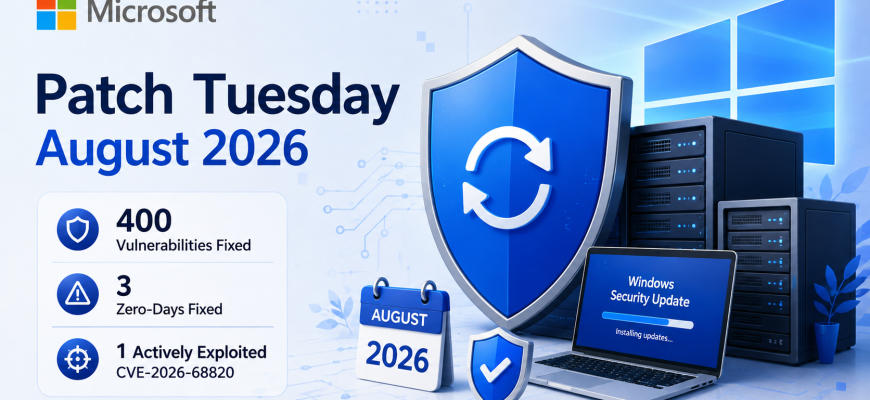
Microsoft August 2026 Patch Tuesday delivers one of the largest security updates of the year, addressing around 400 vulnerabilities across Windows and other Microsoft products. The release includes three zero-day vulnerabilities, with one already being actively exploited in attacks. For Windows and server administrators, the update deserves immediate attention.
For Windows and server administrators, this is a particularly important patch cycle. Several critical vulnerabilities could enable remote code execution, while the actively exploited zero-day can allow an attacker to elevate privileges to SYSTEM.
Microsoft recommends installing the August security updates promptly on supported Windows systems. Microsoft Learn
- What Was Fixed in the August 2026 Patch Tuesday?
- Three Zero-Day Vulnerabilities Fixed
- CVE-2026-68820 — Windows AFD.sys Elevation of Privilege
- Why SYSTEM Privileges Matter
- Two Other Zero-Days Were Publicly Disclosed
- Critical Remote Code Execution Vulnerabilities
- What Windows Server Administrators Should Do
- 1. Identify affected systems
- 2. Prioritize the actively exploited zero-day
- 3. Prioritize Internet-facing servers
- 4. Test updates before broad deployment
- 5. Verify backups
- 6. Confirm that updates were installed
- Windows 10 Systems Also Need Attention
- Don’t Patch Based on CVSS Alone
- August 2026 Is Another Heavy Patch Cycle
- Should You Install the August Updates Immediately?
- Final Thoughts
What Was Fixed in the August 2026 Patch Tuesday?
The August 2026 release is one of Microsoft’s larger security updates of the year.
Microsoft addressed vulnerabilities affecting a broad range of products and Windows components, including Windows networking, Hyper-V, Microsoft Office, Windows Server components and other parts of the Microsoft ecosystem.
Depending on how vulnerabilities and third-party fixes are counted, security researchers report slightly different totals. BleepingComputer counted 400 flaws, while Rapid7 and SecurityWeek reported 421 CVEs in the August release. BleepingComputer
More important than the total number, however, is the severity of several vulnerabilities.
The release includes dozens of Critical-rated vulnerabilities, and multiple bugs can potentially be exploited for remote code execution.
For administrators responsible for Windows servers, Active Directory environments, virtual machines or business endpoints, the August updates should therefore receive high patching priority.
Three Zero-Day Vulnerabilities Fixed
The Microsoft August 2026 Patch Tuesday addresses three vulnerabilities classified as zero-days.
One of them was already being actively exploited before Microsoft’s security update became available, while two others had been publicly disclosed. BleepingComputer
The most urgent vulnerability is:
CVE-2026-68820 — Windows AFD.sys Elevation of Privilege
CVE-2026-68820 affects the Windows Ancillary Function Driver for WinSock.
The vulnerable component, commonly associated with afd.sys, is a kernel-mode Windows driver responsible for handling socket-related networking functionality.
Microsoft confirmed that attackers had already exploited the vulnerability in the wild before the August update was released. Help Net Security
Successful exploitation can allow an attacker to obtain SYSTEM-level privileges.
This distinction is important.
CVE-2026-68820 is not primarily an unauthenticated remote compromise vulnerability. An attacker generally needs an initial foothold or the ability to execute code on the affected system.
However, privilege-escalation vulnerabilities are extremely useful in real-world attack chains.
An attacker could potentially:
- gain initial access through another vulnerability or stolen credentials;
- execute code as a restricted user;
- exploit CVE-2026-68820;
- obtain SYSTEM privileges;
- disable security controls;
- access sensitive data;
- move further through the network.
That makes the vulnerability particularly relevant to enterprise Windows environments and Windows servers.
Why SYSTEM Privileges Matter
On Windows, SYSTEM is one of the most privileged security contexts available.
A process running with SYSTEM privileges generally has significantly more control over the machine than a standard administrator account.
An attacker who successfully reaches this privilege level may be able to modify system files, interact with services, access protected resources and establish persistence.
This is why local privilege-escalation vulnerabilities should not be dismissed simply because they require prior access.
Modern attacks frequently combine several vulnerabilities.
The initial compromise may come from phishing, exposed remote services, compromised credentials, malicious software or another vulnerability. Privilege escalation then allows the attacker to turn limited access into near-complete control of the system.
For server administrators, patching these vulnerabilities closes an important step in that attack chain.
Two Other Zero-Days Were Publicly Disclosed
Microsoft’s August release also addresses two vulnerabilities that had been publicly disclosed before patches became available.
These include CVE-2026-62832 and CVE-2026-72971. Microsoft had not reported them as actively exploited in the wild at the time of the Patch Tuesday release. RoboShadow
The distinction between publicly disclosed and actively exploited is important.
A publicly disclosed vulnerability does not necessarily mean attackers are already exploiting it at scale.
However, once technical information about a vulnerability becomes public, the risk can increase because researchers and attackers have additional information they can use to develop working exploits.
Administrators should therefore treat publicly disclosed zero-days as high-priority patching targets even when active exploitation has not yet been confirmed.
Critical Remote Code Execution Vulnerabilities
The August security release is not only about the three zero-days.
A number of vulnerabilities are rated Critical, including issues capable of remote code execution.
Some of the most concerning vulnerabilities have CVSS scores reaching 9.8, indicating potentially severe impact. Security reporting around the August release identified several vulnerabilities that could be attacked without authentication. The Hacker News
Remote code execution vulnerabilities are particularly dangerous for servers because successful exploitation may allow an attacker to execute arbitrary code on a vulnerable machine.
The risk increases considerably when the vulnerable service is exposed to an untrusted network or directly to the Internet.
Administrators should therefore avoid prioritizing patches purely by the headline number of vulnerabilities.
Exposure matters.
A Critical vulnerability affecting an Internet-facing server may require more urgent attention than a vulnerability affecting an isolated workstation.
What Windows Server Administrators Should Do
For server administrators, installing every update immediately across production infrastructure is not always practical.
Updates can introduce compatibility issues, require reboots or affect applications running on critical systems.
A structured deployment process is safer.
1. Identify affected systems
Start by creating an inventory of Windows systems under management.
Pay particular attention to:
- Windows Server installations;
- Internet-facing Windows servers;
- virtualization hosts;
- domain infrastructure;
- remote-access servers;
- application servers;
- administrator workstations.
Compare installed versions and roles with Microsoft’s Security Update Guide.
Microsoft maintains its official vulnerability and update information in the Microsoft Security Update Guide. msrc.microsoft.com
2. Prioritize the actively exploited zero-day
Systems affected by CVE-2026-68820 should receive particular attention because exploitation has already been observed.
This does not mean every affected machine is under immediate attack.
It does mean that the vulnerability has moved beyond theoretical exploitation.
For administrators deciding which updates to deploy first, confirmed exploitation is an important risk signal.
3. Prioritize Internet-facing servers
Next, examine servers accessible from the Internet.
These systems generally have a larger attack surface because attackers do not first need access to the internal network.
Examples include:
- web servers;
- VPN and remote-access infrastructure;
- public application servers;
- gateways;
- exposed management systems.
The exact priority should depend on which Windows components and services are installed and exposed.
4. Test updates before broad deployment
Production environments should ideally have a small test group representing the most important server roles.
Install the August updates there first.
Check:
- application functionality;
- network connectivity;
- authentication;
- event logs;
- backup software;
- monitoring agents;
- virtualization workloads;
- storage and database connectivity.
If no major problems appear, deployment can move to a larger group.
5. Verify backups
Before updating critical infrastructure, verify that backups are actually usable.
Having a backup job marked as “successful” is not the same as having a tested recovery path.
For important systems, administrators should know how the server will be restored if an update causes a boot failure, application problem or other unexpected issue.
Virtual machines may also benefit from appropriate rollback planning, although VM snapshots should not be treated as a replacement for proper backups.
6. Confirm that updates were installed
Patch management does not end when the deployment job is started.
Verify that the update actually reached each server.
Systems can miss patches because of:
- failed reboots;
- insufficient disk space;
- update service errors;
- WSUS configuration problems;
- maintenance windows;
- offline machines;
- deployment policy errors.
Monitoring patch compliance is therefore as important as initiating the update itself.
Windows 10 Systems Also Need Attention
Organizations still operating Windows 10 should pay particular attention to their support status.
Microsoft is continuing to provide security updates to eligible Windows 10 systems through its Extended Security Updates program, and an August 2026 ESU cumulative update was released alongside this month’s Patch Tuesday updates. BleepingComputer
Administrators maintaining legacy systems should confirm that those machines are properly enrolled and actually receiving the required security updates.
An unsupported operating system connected to a production network can gradually become a serious security liability.
Where possible, organizations should also maintain a migration plan rather than relying indefinitely on legacy platforms.
Don’t Patch Based on CVSS Alone
CVSS is useful, but it should not be the only factor used to determine patch priority.
Administrators should consider several signals together:
Active exploitation — Is the vulnerability already being used by attackers?
Network exposure — Is the vulnerable service reachable from the Internet?
Privileges required — Does exploitation require an authenticated user or local access?
Asset importance — Is the affected machine a domain controller, virtualization host or business-critical server?
Exploit complexity — How difficult is successful exploitation?
Business impact — What happens if the system becomes unavailable during patching?
A CVSS 9.8 vulnerability on an isolated test machine and an actively exploited privilege-escalation flaw on a critical production server present very different operational risks.
Good patch management combines vulnerability severity with actual infrastructure exposure.
August 2026 Is Another Heavy Patch Cycle
The August release follows an unusually large July 2026 Patch Tuesday, when Microsoft addressed roughly 570 vulnerabilities and multiple zero-days. BleepingComputer
That creates a practical problem for IT teams.
Administrators are not only dealing with newly discovered vulnerabilities; they also need to ensure previous monthly updates were deployed successfully.
Servers that missed July updates may therefore have considerably more exposure than systems that only need the August patches.
This is why vulnerability management should be treated as a continuous process rather than a monthly emergency.
Asset inventory, patch compliance monitoring, vulnerability scanning and staged deployment all help reduce the workload when a large Patch Tuesday arrives.
Should You Install the August Updates Immediately?
For ordinary supported Windows endpoints, Microsoft recommends installing the August security update promptly. Microsoft Learn
For production servers, the answer requires a little more planning.
Critical and exposed systems should be prioritized, particularly where actively exploited vulnerabilities apply. At the same time, organizations should follow their normal testing and change-management procedures where operational requirements demand them.
The goal is not simply to patch as fast as possible.
The goal is to minimize the period during which a known vulnerability can be exploited without creating unnecessary downtime in production.
Final Thoughts
The Microsoft August 2026 Patch Tuesday is a significant security release, addressing around 400 vulnerabilities and three zero-days.
The most urgent issue is CVE-2026-68820, a Windows privilege-escalation vulnerability that Microsoft says has already been exploited in attacks.
For server administrators, the practical response is straightforward: identify affected infrastructure, prioritize exposed and critical systems, test the updates, verify backups, deploy the patches and confirm successful installation.
With hundreds of vulnerabilities arriving in a single monthly release, simply running Windows Update is no longer enough for larger environments.
Effective patch management requires knowing which systems are vulnerable, which vulnerabilities pose the greatest real-world risk and whether every critical server was actually updated.